Hello Community.
Since 2 years i got the K8200 printer.
he worked in that time sometimes with little problems,but he printed.
but now,i had to change the top of the extruder,cause that white plastic cube,where the filament is going though,was broken.
after installed the new cube i changed the top of the extruder,and start printing new things and set the printer on to the abs-settings,cause i c hanged the filament from pla to abs.
during a process I have established that the printer did not print the bottom layers, but only from the 4th or 5th layer started to print.
i pressed the “reset”-button on the control panel, but now the printer doesn´t print anything.
i changed the print settings from abs to default, but no reaction,too.
the printer workes very slowly to reach the temperature of extruder and printbed,but then it stops.
after turning off the printer, the extruder is still heating, even though the printer is no longer online.
in the message that heating elements are still on, I then clicked “yes” , so that the printer turns off the heating elements, but he does not
i hope,you can understand my english,cause i don´t trust that google translator.
hope you can help me,
greetings
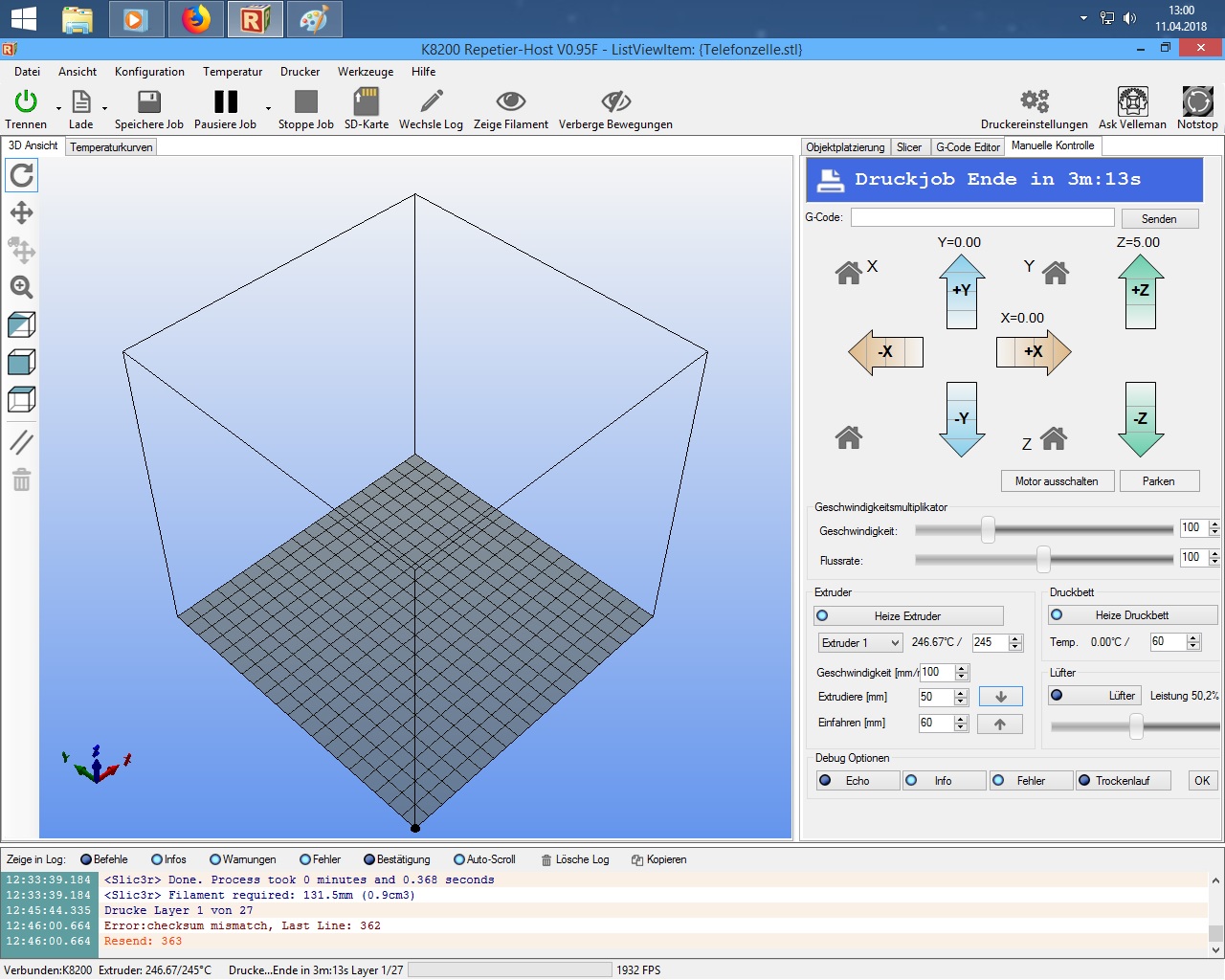
Looking at your screenshot it looks like you maybe running the temp of the print head to high.
For ABS you should try 220c the heat from the print head could be traveling up the white heat break and cooling clogging the tube.
Hello,
thank you for your answer.
so i set the temperature-settings to “default”, that contains 220 degrees.
after that, i found the mistake,whiole the printer doesn´t print the first layers.
that´s an issue with the baudrate.
i set the baudrate to 250000 and the printer printed very well.
After printing, I found out that the screws had come loose from the printing table.
so I tightened the screws again and wanted to reprint, the temperature of the extruder rises only very slowly, and only goes up to about 170 degrees and i loose the controö of the printer.
the printer makes no reaction,no printing, and in the manual controls, i can´t shut the extruder off,
I must then pull the plug to turn off the printer.
could it be a software-error?
greetingas
I can’t say if it’s a software issue or not.
You may want to try a different computer to run it
If you are using Windows 10 you may need to reload the driver.
Sometimes after Windows 10 does updates it wipes out the drivers.
What is the temp of your room?